Tracking Cruise Fares After Booking Can Save You A Fortune. Here’s How To Do It
Cruise Fare Tracking Will Save You A Fortune. Here’s How To Do It
If you’re not tracking your cruise fare after booking, there’s a very good chance you’re overpaying — and don’t even know it.
Cruise prices don’t stay fixed. They constantly rise and fall based on demand, promotions, and how full the ship is. And while most people assume once they’ve booked, that’s it… the reality can be very different.
Because if the price drops, you can often tap into that saving — through refunds, upgrades, or onboard credit.
I’ve personally had thousands back over the years doing this. On one cruise alone, I got $1,500 refunded after spotting a price drop. And I get emails and message from followers almost every week who’ve done exactly the same.
The problem is, most cruisers never track and check. They book… and move on.
That’s why I always track every cruise I book — and why I recommend you do too.
While not every line will match lower fares, it is worth trying!
There are three sites I use that should help you too, with steps and explanation on how to use them.
CRUISEWATCH.COM – FARE TRACKER
Cruisewatch.com is the easiest. Though they tend to cover USA-passenger centric lines, so you will not find lines like P&O Cruises, SAGA etc and tend to not have some of the newer lines. Nevertheless, they are a great tool for cruise ship fare tracking, regardless.
Step1:
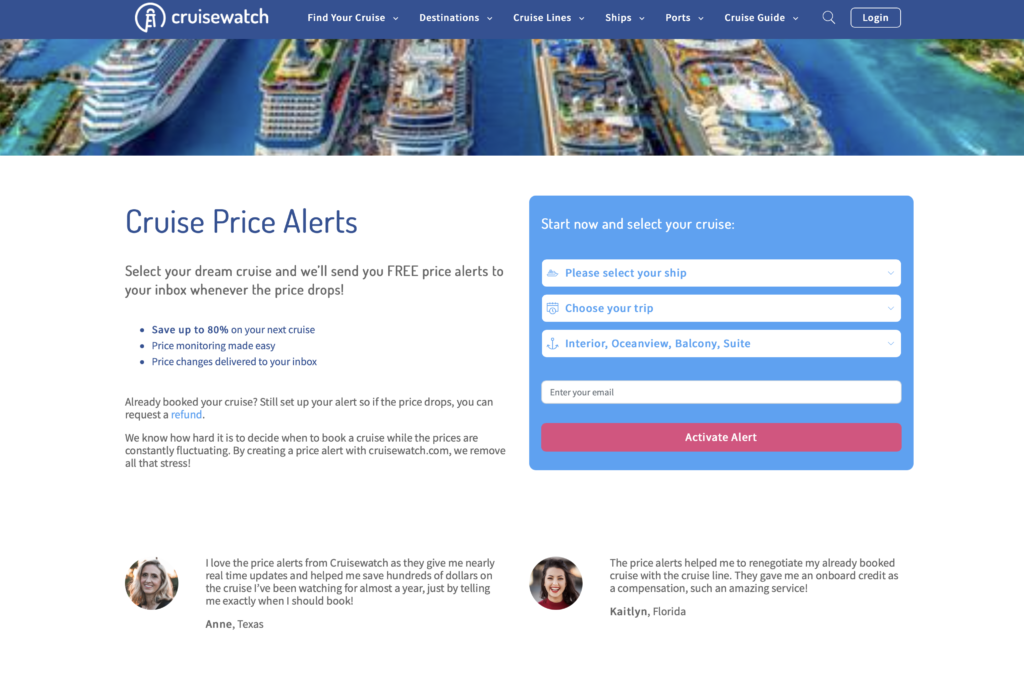
Go to https://www.cruisewatch.com/cruise-price-alerts
Step 2:
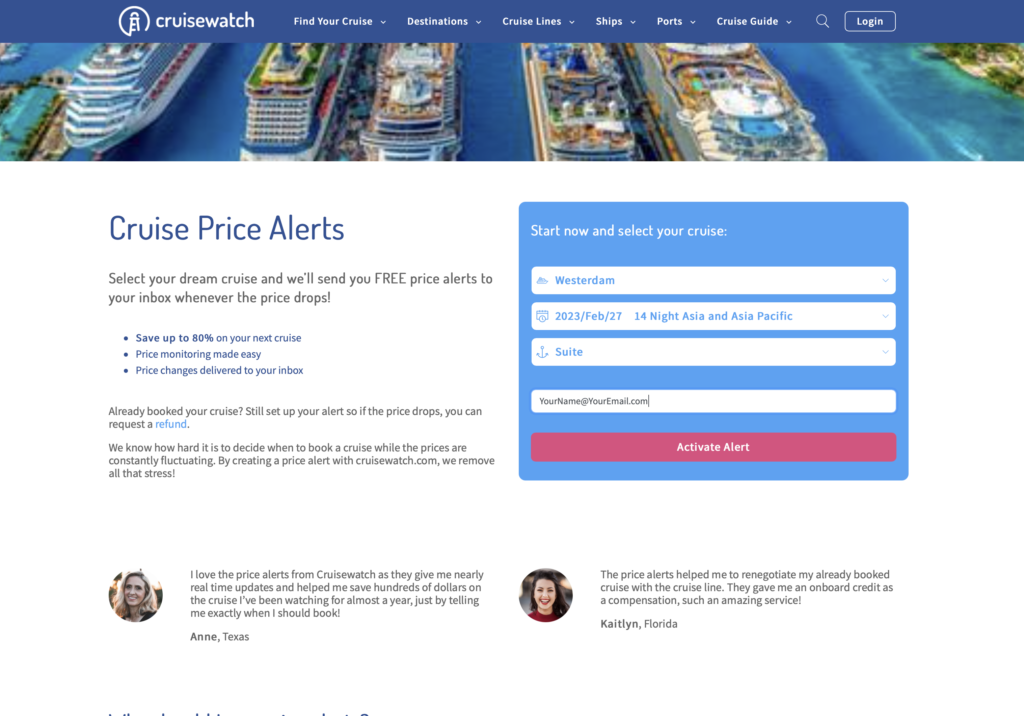
Enter your ship, select trip (they will list all the scheduled cruises of that ship), grade of cabin booked and your email address
Step 3:
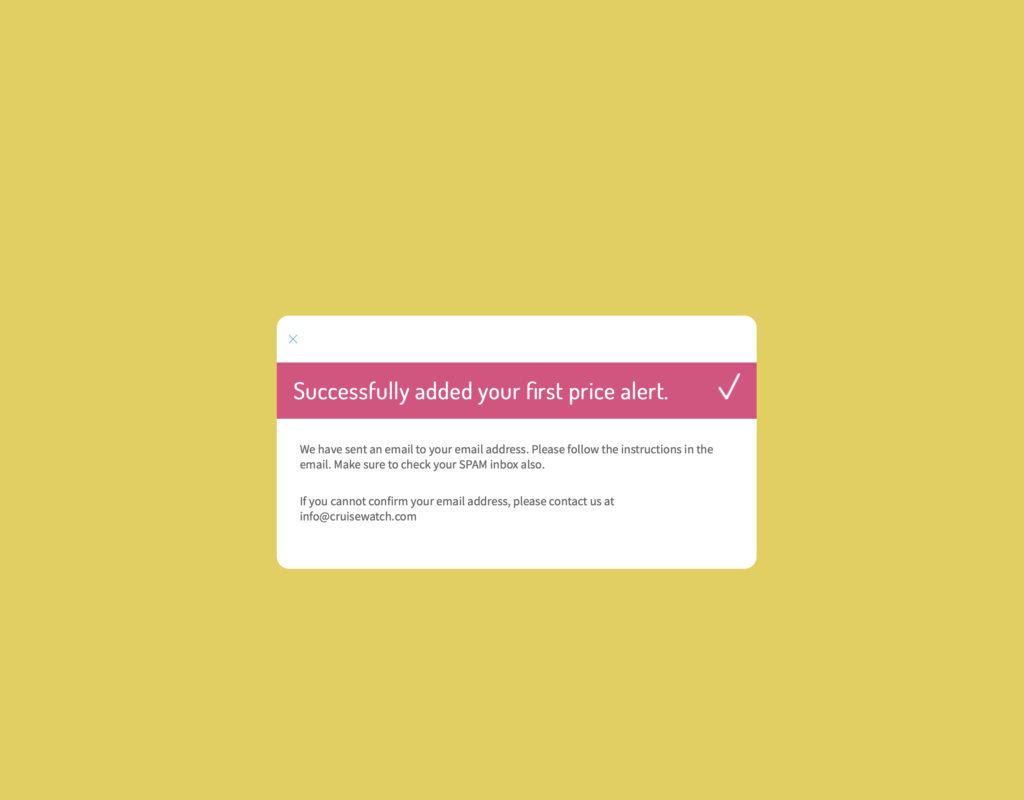
Check they confirm your tracker is set up. This will appear. The first time you set up an alert you will get an email with a link to confirm your email.
Step 4:
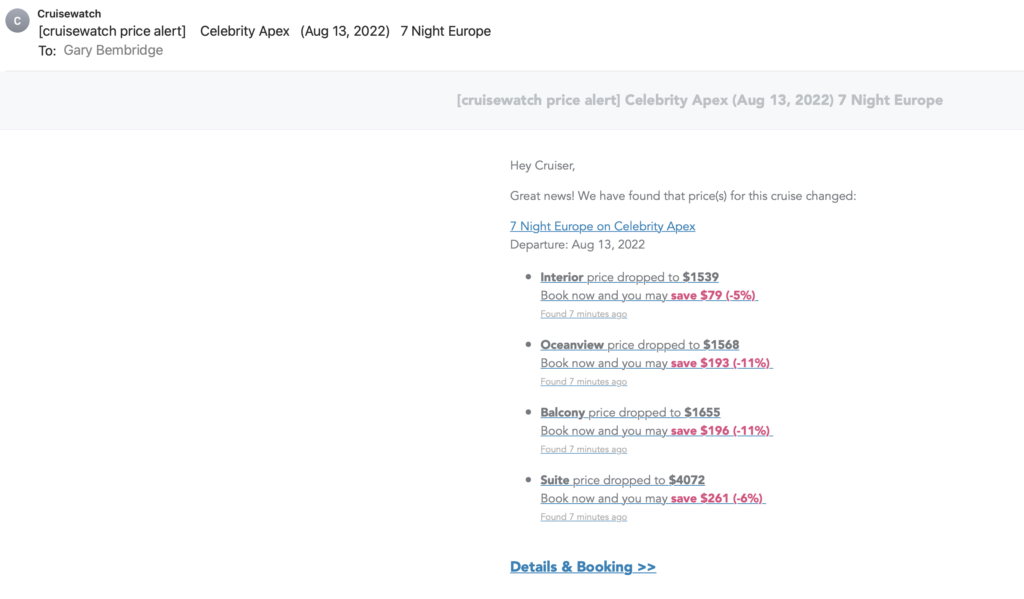
Receive email updates like the one below for your cruise ship fare (This is for a trip I already have set up)
CRUISELINE – FARE TRACKER
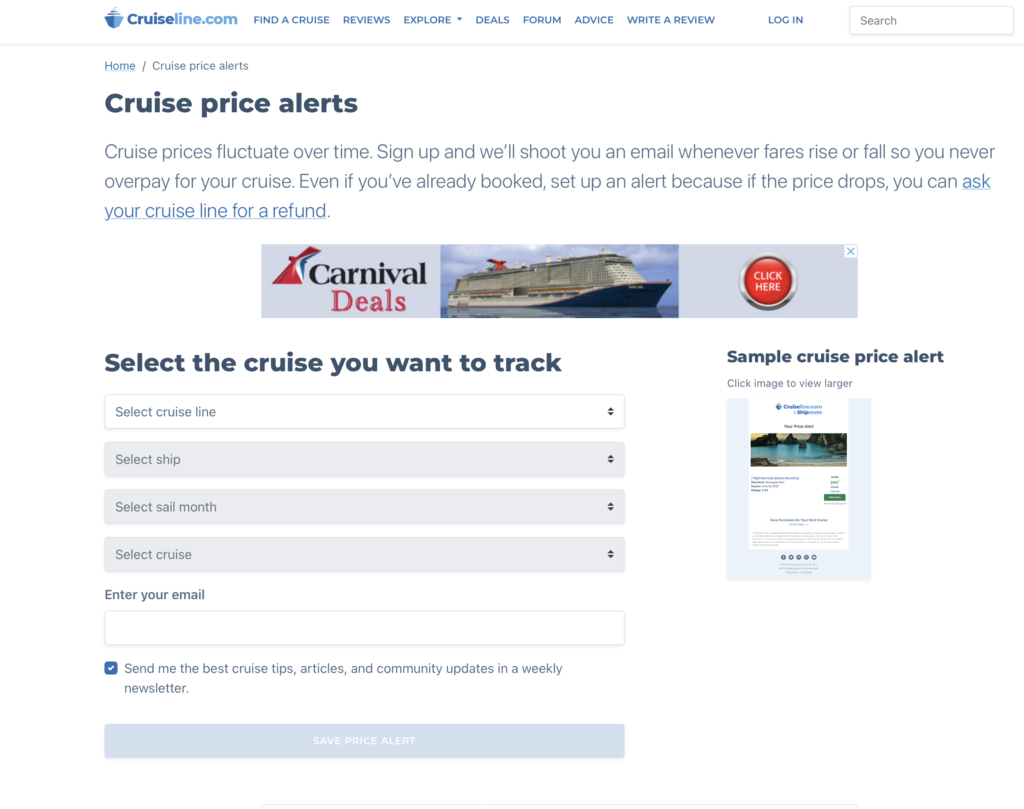
Cruiseline.com is another great fare tracker, and has an extensive list of lines including ocean and river. It has some lines that you will not find on CruiseWatch.com, and so if you don’t find the line you want to track on there it may be on here!
Step 1:
Go to CRUISE PRICE ALERTS on Cruiseline.com and enter the cruise line, ship, month and cruise. Then your email address and save.
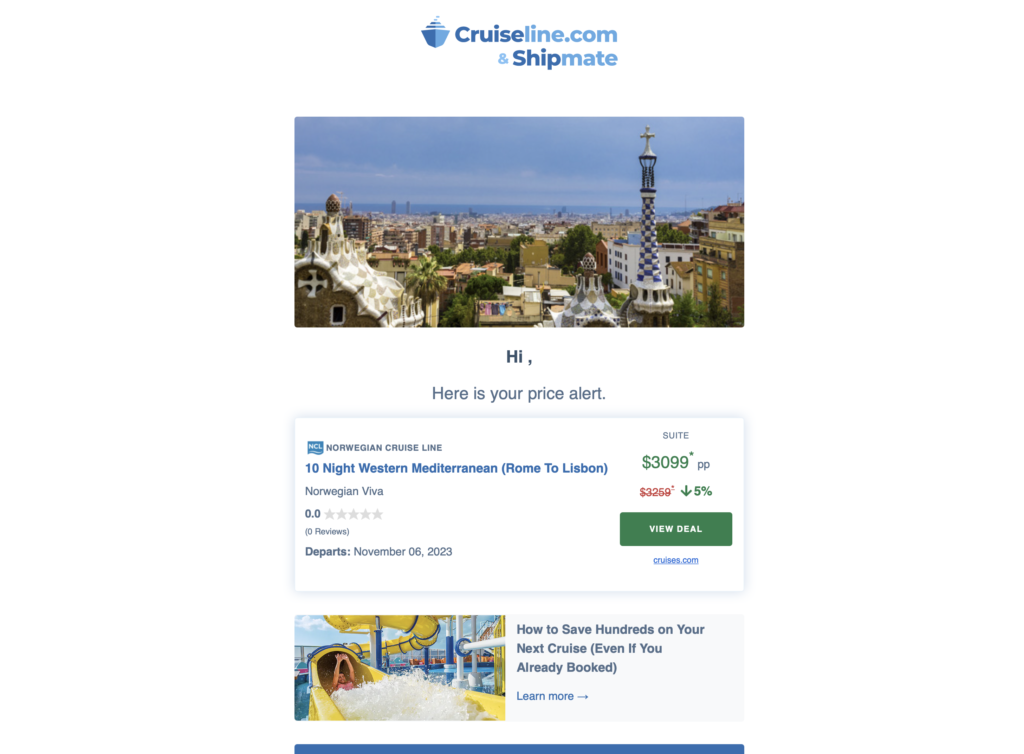
Step 2 – Get alerts when prices change
CRUISE RADAR & ALL ABOARD DEALS
Cruise Radar from All Aboard Deals works in two ways. There is a website where you can search and track any cruise, and a free Chrome extension you install that overlays deal scores and price history on the actual cruise line website while you browse. Both connect to the same account that you set up with them.
What they do different to other fare tracking sites is they have a “deal score”. Every fare gets rated 0-100 based on 12 months of pricing data for that specific ship. So, as well as seeing if a fare changed — you’re seeing whether it’s actually good relative to the price history for that ship.
Option 1: Use the website
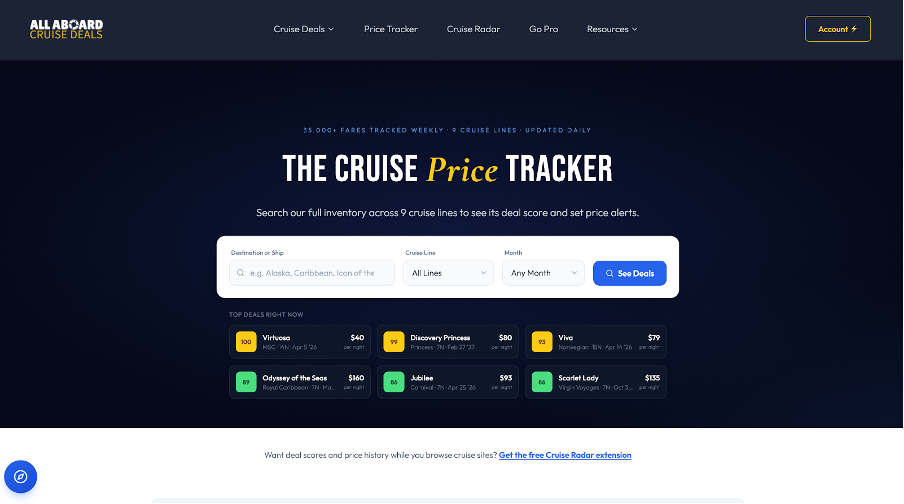
Go to their Cruise Price Tracker Page and search by destination, ship or cruise line. Every result shows a deal score, price history and the option to set a price drop alert.
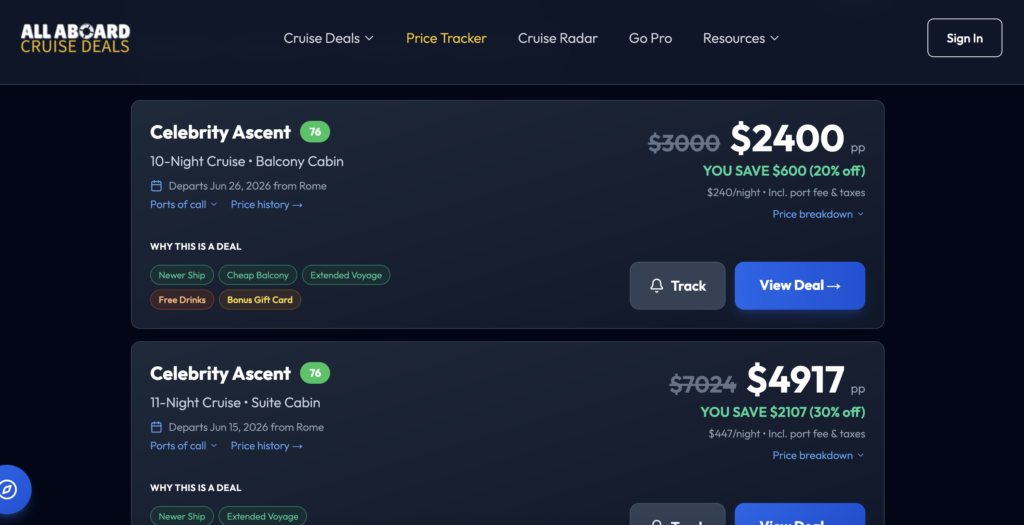
Then when the results come up, you have the option to track (as in the example below where you can see the bell icon)
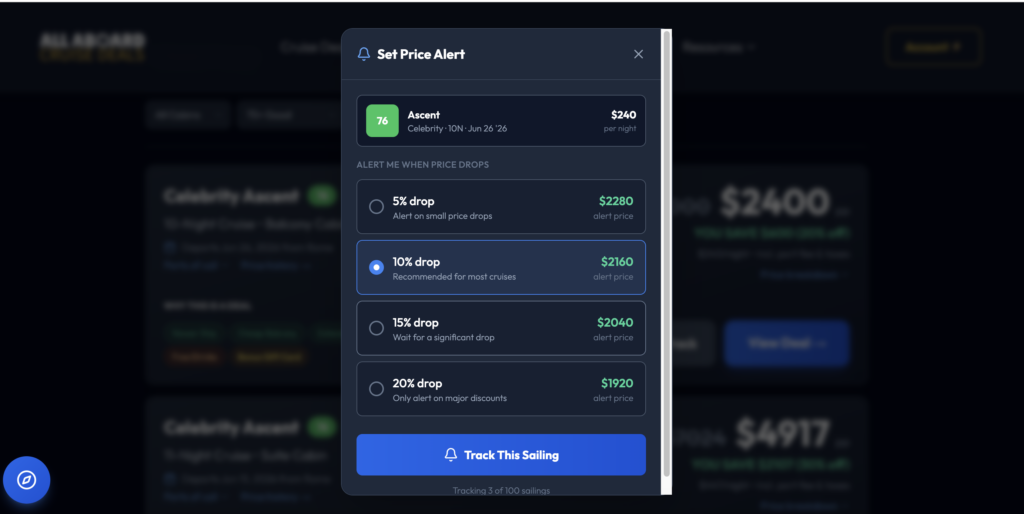
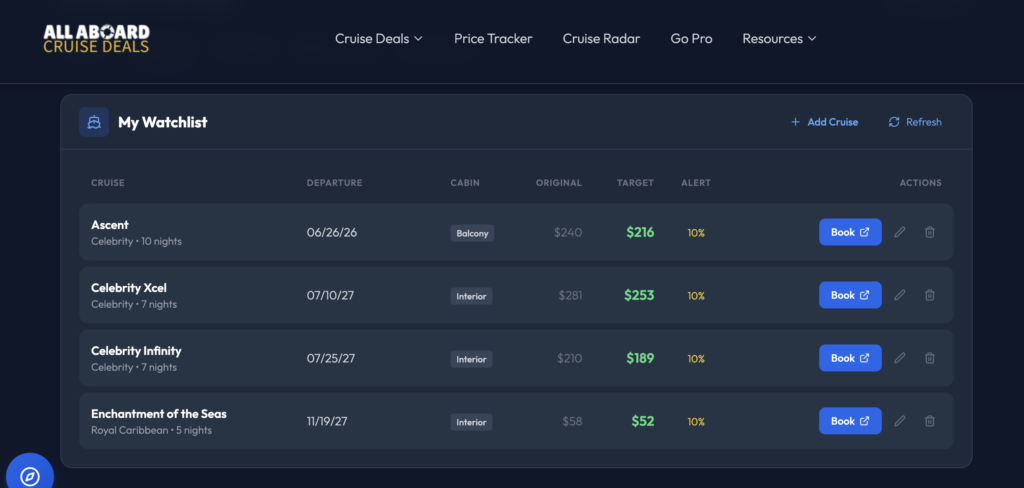
You can also chose at what percentage change you should be notified, and add the cruise to a personal watchlist of cruises you are considering or tracking.
Option 2: Install Cruise Radar (free Chrome extension)
If you prefer to see the deal scores while you browse and search for cruises so you know if the cruise is already at a good fare versus recent levels, then install their Cruise Radar from the Chrome Web Store to your Chrome Browser.
Once installed, visit Royal Caribbean, Celebrity, Norwegian, MSC or any supported cruise line site (as they keep adding more lines) and a deal score badge appears next to each fare. It is a small anchor symbol and will be green, amber, or red based on how the fare is versus history. Click it to see the full price history panel.
For example, in the example below, for a Royal Caribbean cruise I was considering it was red suggesting fares were high versus past, and clicking on it showed me the detail.
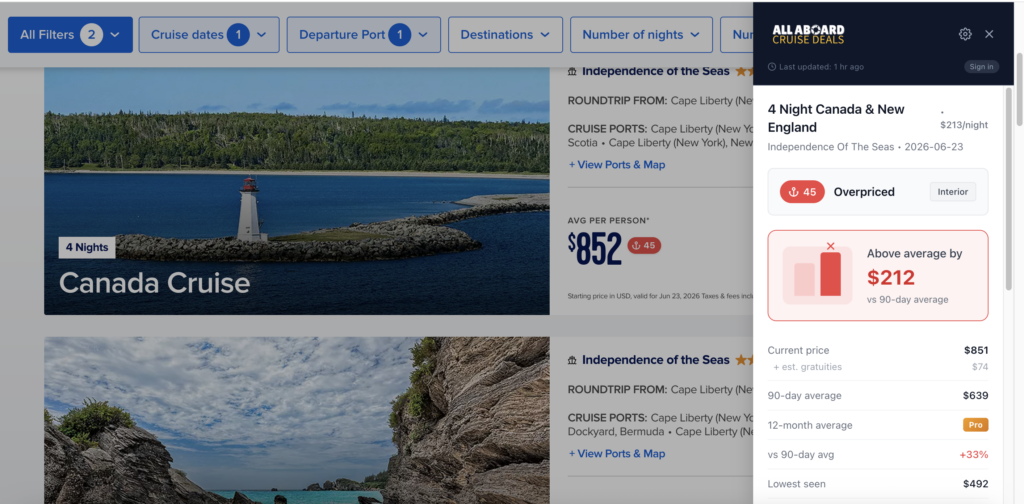
You can also set a price drop alert from the side bar by setting up a price drop alert sign up for a free account:
- Click the score badge for the cabin type you want
- In the side panel click track for price drops
- Select your drop percentage threshold
- It will be added to your watchlist and you will get an email when the price drops.
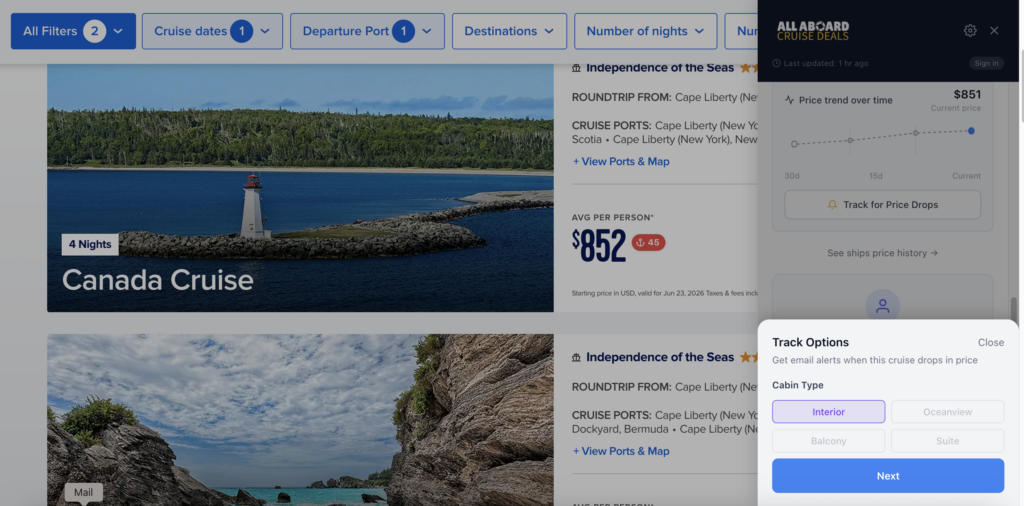
There is also a PRO membership option which is especially helpful if you have already booked a cruise that will also notified you if the price drops, which is when it’s worth calling the cruise line to match it.
I have an offer if you want to become a PRO member: Tips for Travellers readers get 15% off Pro for life is you use the code “TFT15” at check out
If you use any of my suggestions to track your fares, please leave a comment if it pays off for you and how much you saved.
Discover more from Tips For Travellers
Subscribe to get the latest posts sent to your email.